Chart Tracking Locks
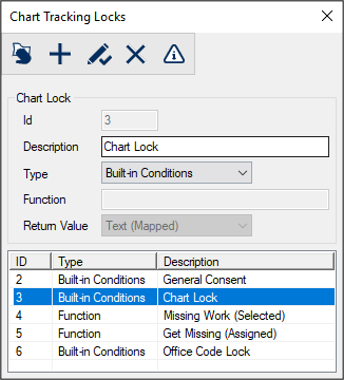
Chart Tracking Locks Window[Accessed from Maintenance > Office > Chart Tracking Locks] Chart tracking locks can prevent a chart from being checked out or accessed from a specific location when certain conditions have been met. Example: A chart lock can be triggered when a patient record meets one or more of the defined conditions. Chart access will be restricted until the criteria are no longer present. The Chart Tracking Locks window allows you to create and manage chart locks that can be applied to patient charts at your institution.
 Chart Tracking Locks - Field Definitions Chart Tracking Locks - Field Definitions
Chart Tracking Locks - Tasks
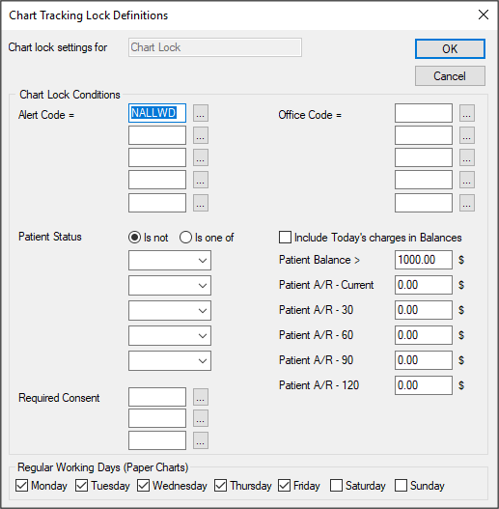
Chart Tracking Lock Definitions WindowChart tracking lock definitions are the conditions that will trigger a chart lock. The Chart Tracking Lock Definitions window allows you to manage the conditions for a selected chart lock. It displays when you open the Chart Tracking Locks window, select a listed chart lock and click the Chart Tracking Lock Definitions(
Chart Tracking Lock Definitions - Field Definitions
Chart Tracking Lock Definitions - Tasks
|
 ) icon.
  ) icon.
  ) icon.
  ) icon.
  ) icon to display the