Add Insurance Payments
|
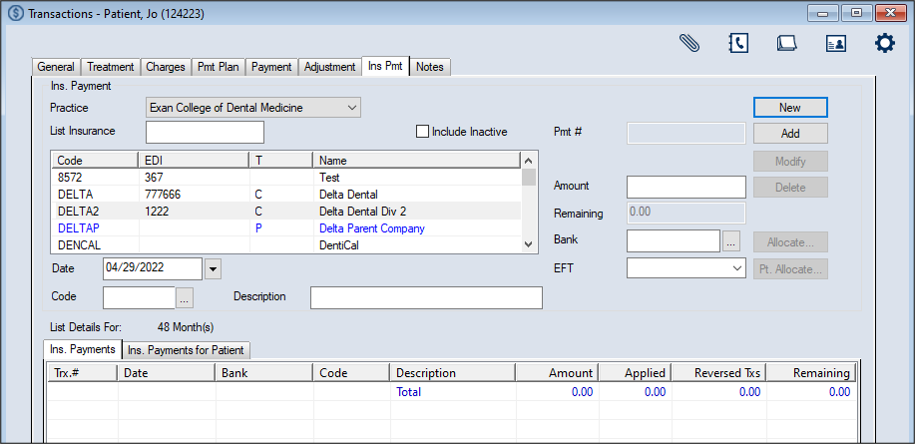
You can add insurance payments from the Transactions module > Insurance Payment tab. To add an insurance payment:
Note: The full list displays if the Load all Ins. companies in list checkbox is selected in the Transaction Options window > Payment Options section. Tip: You can enter an underscore (_) to display all results within the column. Note: You can select the Include Inactive checkbox to include inactive insurance companies in the search. Note: Up to two custom fields may also be configured for use by your institution. If configured, they display below the Bank field.  Ins. Payment fields Ins. Payment fields
The record displays in the list view in green text to indicate it is not allocated. Important: At this point the payment has been entered but is not allocated anywhere.
|