Write Off Balances

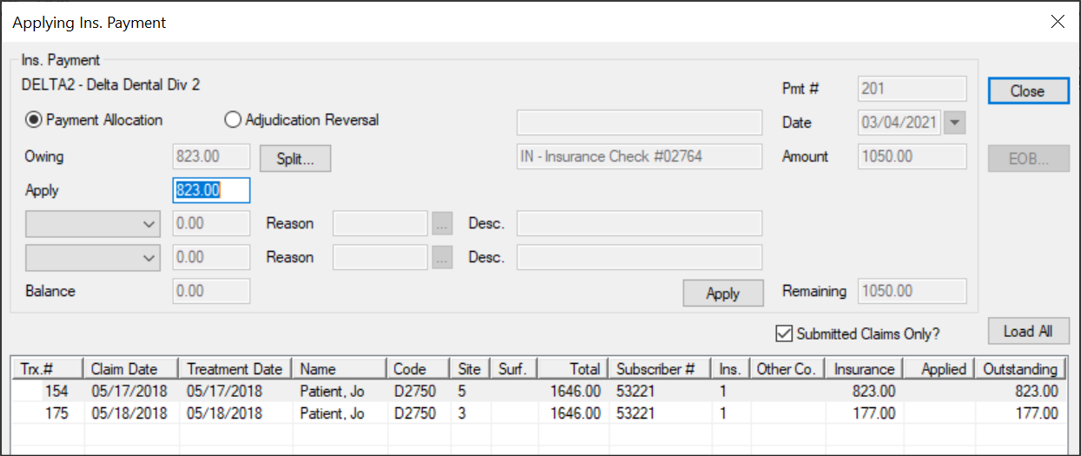
When allocating an insurance payment, you can write off a remaining balance from the Transactions module > Insurance Payment tab.

Example: The claim is for $100 and the insurance company sends back a payment for $90. You want to write off the remaining $10.

To write off a patient balance:

  1. From the Applying Ins. Payment window, modify the Apply field to the amount being paid by the insurance company.
  2. Tip: If not covered at all, enter 0.00.

  3. From the drop-down field, select Write Off and in the applicable text field, enter the dollar amount you are writing off.
  4. Click the Reason ellipsis to select a reason from the Adjustment Codes window.
  5. In the Description field, enter the EOB denial explanation associated with the Reason.
  6. Confirm the Balance field displays 0.00 and click Apply.