Manage Office Charges
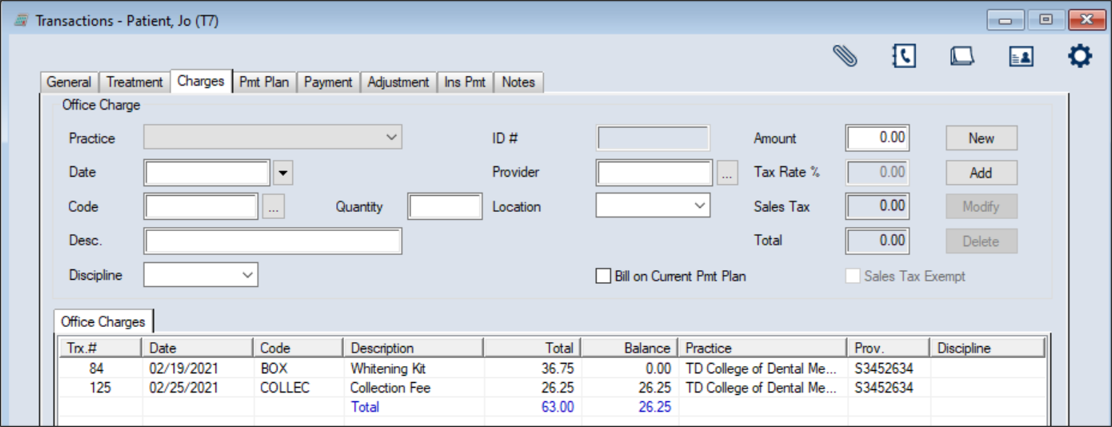
 Office Charge Fields Office Charge Fields
Edit Office Charges
Delete Office Charges
Note: If the office charge has payments allocated, you must unallocate those payments first. View Office Charge History
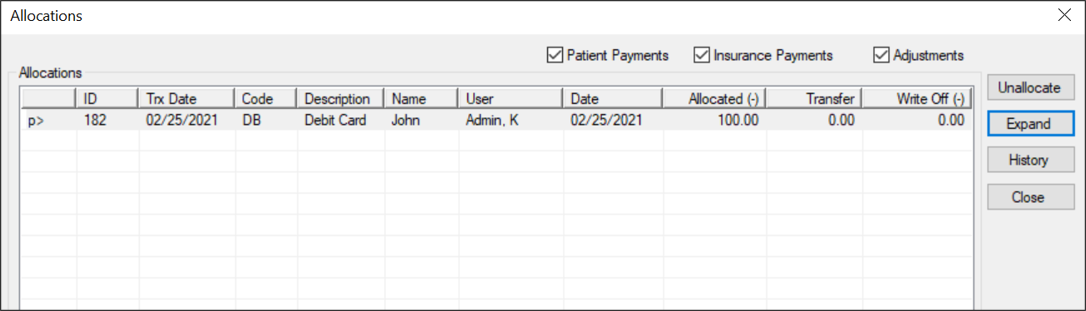
Display Allocations
Allocations are the list of payments and adjustments that have been applied to a selected record.
Print the Office Charges List
|