Adjust Insurance Payments
|
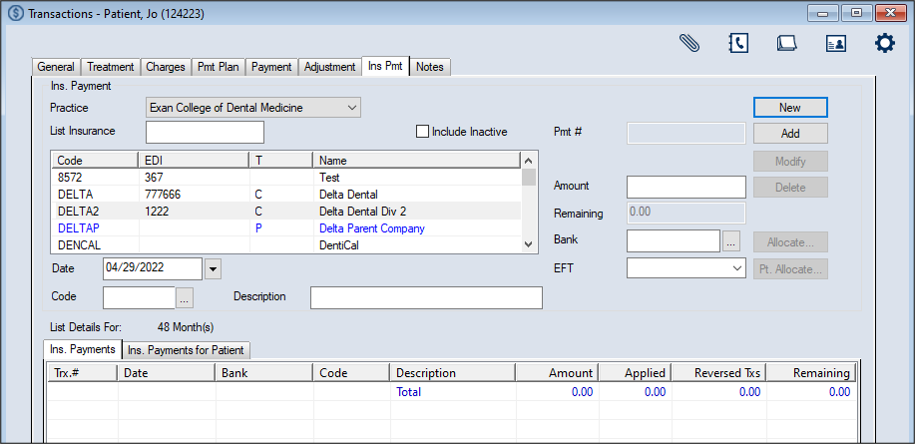
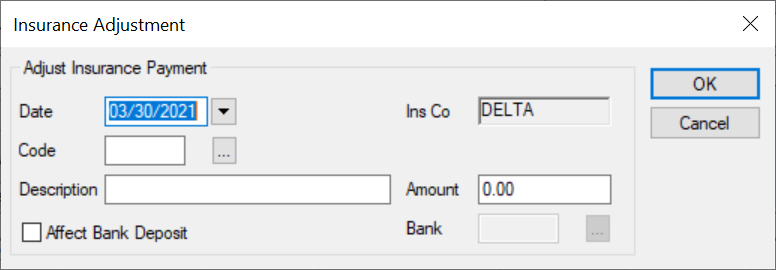
When necessary, you can adjust an insurance payment using one of several adjustment methods directly from the Transactions module > Insurance Payment tab:
Note: This can be used for overpayments and unallocated payment portions. To adjust an insurance payment:
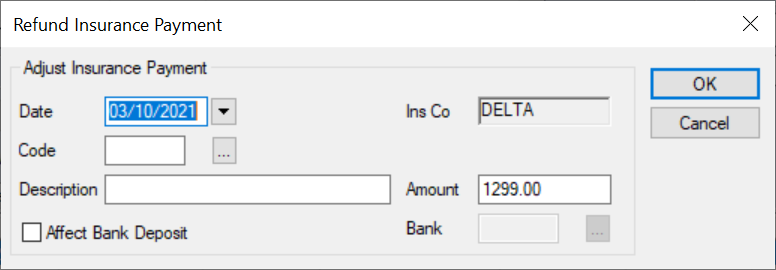
Note: The full list displays if the Load all Ins. companies in list checkbox is selected in the Transaction Options window > Payment Options section. Tip: You can enter an underscore (_) to display all results within the column. Note: You can select the Include Inactive checkbox to include inactive insurance companies in the search.  Refund Insurance Payments Refund Insurance Payments
Note: The Refund Payment right-click option is only available from the Ins. Payments (All) sub-tab and the Refund OverPayment right-click option is only available from the Ins. Payments (for Selected Patient) sub-tab.
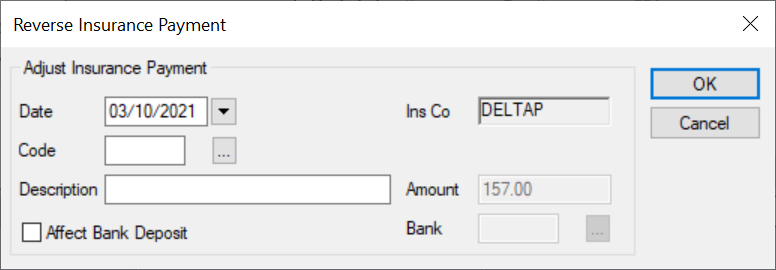
Reverse Insurance Payments
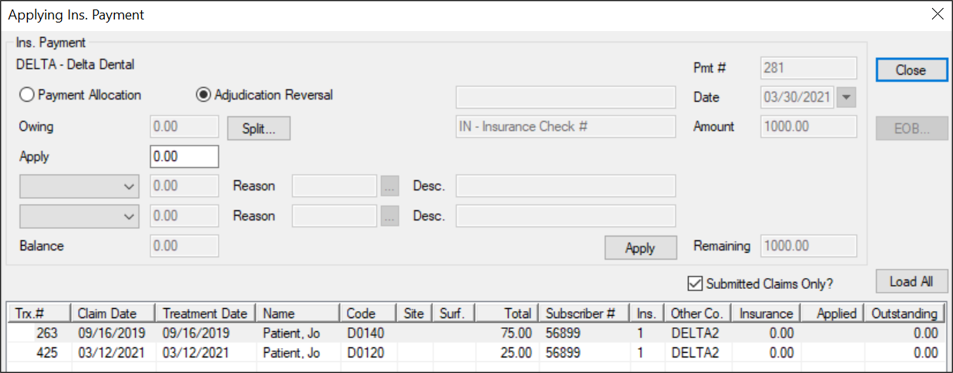
Reverse Insurance Adjudications
An adjudication is the process of paying or denying submitted claims after comparing a claim to the patient’s coverage. In some cases, an insurance company may pay for a treatment, then reverse their adjudication, choosing to recoup part or all of a previous payment using a subsequent EOB. Example: An insurance company realizes they made a mistake and overpaid for a treatment or paid for a treatment that should not have been covered. Because they cannot modify the payment they sent before, when they next send a payment, the EOB indicates they have corrected their mistake by making this latest payment less, allowing them to recoup their previous overpayment. If an insurance company reverses an adjudication, the insurance payment that was previously allocated in axiUm is now less by the designated amount of money and your institution is now short that amount of money. You must correct the insurance payment to adjust the patient's record manually. This removes that designated amount from the previous payment and adds the amount to the current payment so that the whole allocation balances. Tip: You should record the reason an insurance payment was reversed using a patient note. This will help explain the current financial status of the record. To reverse an insurance adjudication:
Tip: You can leave a balance if a future payment is expected from the insurance company or the claim is in dispute. Note: Depending on the circumstances, you may need to use one or both drop-down fields. Important: If the amount does not match any previous allocation amounts for this treatment and insurance company, a warning message displays. Click Yes or No as necessary. The recouped amount displays in the Applied column as a negative amount next to the treatment/charge(s). Note: This button is only enabled if the selected record has an EOB attached automatically to it via the EDI Remittance module or if you have already allocated an insurance payment to the record. The insurance payment displays in green text to indicate it is no longer fully allocated. There is now an increase in the amount of funds that can be allocated to other treatments on the EOB. Manage Insurance Adjustments
|