View Product Levels
|
Product levels indicate the amount of each product available for use in the Inventory module. When inventory levels are low at a location, you must place an order with the correct location to get in more stock. There are two ways to review product levels:
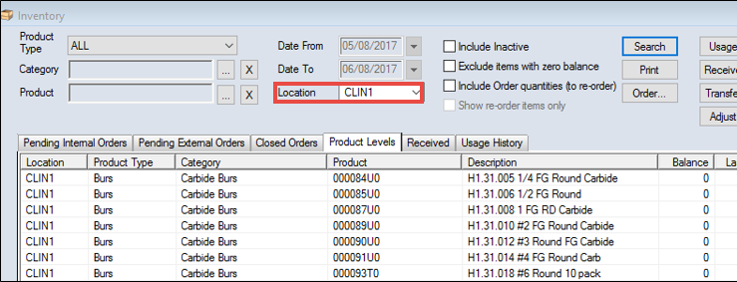
Important: The Inventory/Dispensary modules can be integrated to track sundry item usage and inventory levels simultaneously. If using the integration, you no longer need to enter product usage manually to adjust the product levels. The product levels adjust automatically in the linked inventory store when a provider checks a sundry item in or out, or marks a sundry item as found and checks it in.  Review Levels by Location Review Levels by Location
Note: Products that are marked as inactive are still listed if the number for that location is greater than zero. Once the product number for that location reaches zero, the product no longer displays. Tip: If necessary, you can select the Include Inactive checkbox to display lines for any inactive products with 0 quantities in gray text. The Product Level tab displays the following columns:
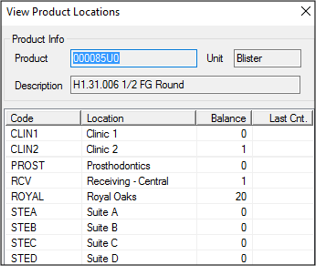
Review Levels Across Multiple Locations
Note: Products that are marked as inactive are still listed if the number for that location is greater than zero. Once the product number for that location reaches zero, the product no longer displays.
|