Split External Orders
|
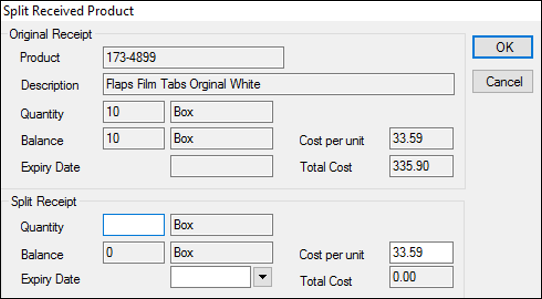
In some cases, external orders contain products with different expiry dates. When this occurs, you must split the order into smaller groupings to differentiate by expiry date after an order has been received. Example: An external order requests 200 oral rinse bottles. After the order has been received, you see that half the bottles have an expiry date of Nov. 2018 and half have an expiry date of Dec. 2018. You must split the order into two orders, divided by their expiry dates. To split an external order:
The values in the Split Receipt pane > Balance and Total Cost fields reflect your change. The order appears twice In the Received tab and in the Quantity column reflects the change in values for each order.
|