Edit External Order Details
|
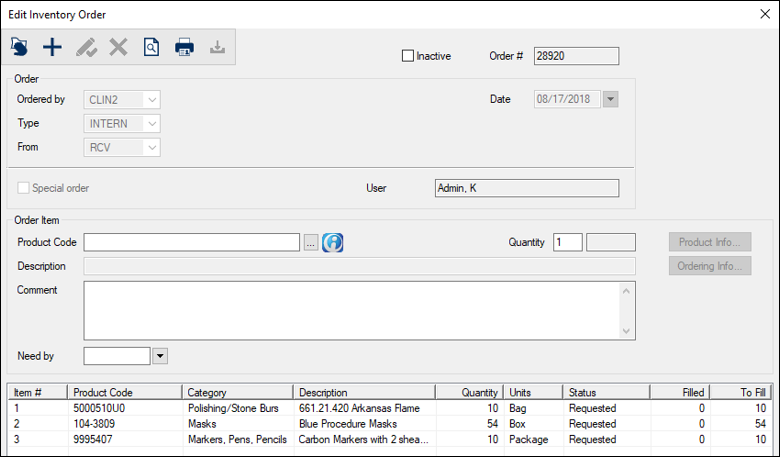
External orders sometimes require modifications after they have been created and are still pending. When necessary, you can open a pending external order and make modifications including the following:
To edit external order details:
Note: Some fields are only available for specific order types.  Add Products Add Products
Note: The Find Product window displays if you are editing an internal order and the Inventory Products List window displays if you are editing an external order. Note: The Search button is present if you are editing an internal order and the Search for Data ( Tip: The Need by field defaults to the date used for last product added to the order. You can modify the date if necessary. Modify Products
View Product Information
View Order Information
Mark Order as Purchased
|
 ) icon.
 ) icon or Search button, then double-click to select a product and close the window.
 ) icon.