Auto-Import Remittance Responses
|
Important: Claims Service version 2.1.0 is required to use this feature. Claims that have been submitted to insurance via a supported clearinghouse must be processed by the insurance company. After your institution has submitted a claim to a supported clearinghouse through the Claims module, axiUm checks for and auto-imports any available remittance responses into the Remittance Responses tab according to the time interval specified during setup. Note: Although axiUm checks according to the specified time interval, responses cannot be auto-imported until claims have been processed by the insurance company. This may take several days, depending on how quickly the insurance company reviews and processes the claim. A purple notification displays at the top of the module to indicate when responses are available and a Last checked for new responses indicator displays the number of minutes since axiUm last checked for responses.
Note: If unable to connect to the Claims Service, a yellow notification will display. Tip: If a response file is invalid, a warning ( When ready, you can proceed to review and auto-process the payments to allocate all successfully imported insurance payments. |
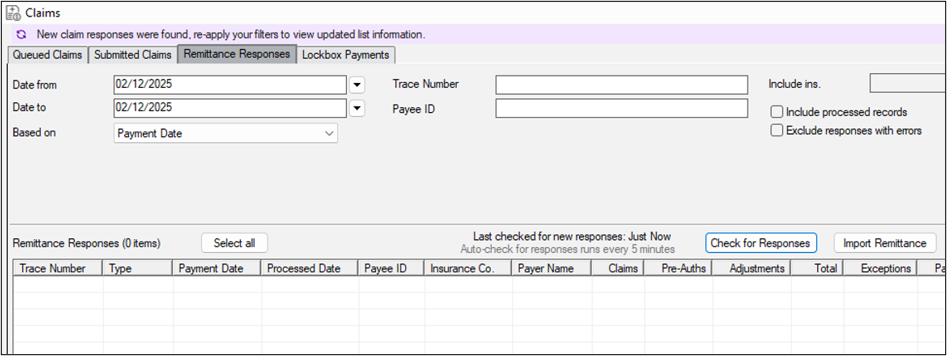
 ) icon also displays next to the Last checked for new responses indicator. You can hover over the warning icon to view a tooltip indicating whether the file has invalid characters or formatting.