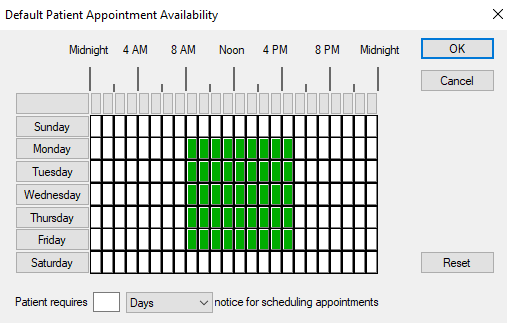
Default Patient Appointment Availability
Default Patient Appointment Availability WindowWhen adding a patient to the wait list, you can specify the patient’s availability. This prevents you from trying to book patients when they are unavailable. The Default Patient Appointment Availability window allows you to specify the default availability to display when specifying a patient’s schedule.
 Provider Note Codes - Field Definitions Provider Note Codes - Field Definitions
Default Patient Appointment Availability - Tasks
|