Export Summary of Care Files
|
You can export a Clinical Visit Summary from the Scheduler. To export a Summary of Care file:
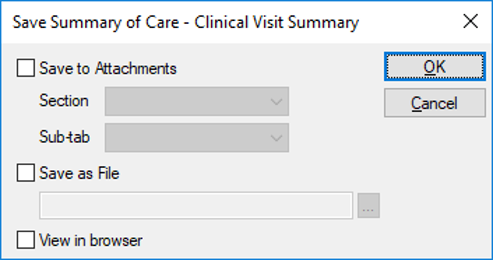
 Save Summary of Care - Clinical Visit Summary fields Save Summary of Care - Clinical Visit Summary fields
|
|
You can export a Clinical Visit Summary from the Scheduler. To export a Summary of Care file:
Save Summary of Care - Clinical Visit Summary fields
|