Change Providers

You may need to change providers as you review and manage appointments in the Scheduler.

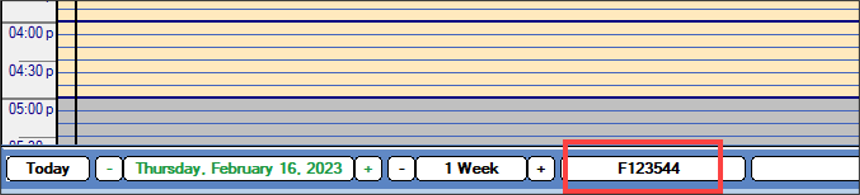
When necessary, you can change providers from the Scheduler > Active tab.

To change the provider:

  1. Open the Scheduler module and click the Active tab.
  2. From the navigation bar, click the provider name/number and choose Select Provider… to display the Providers List window.

  3. Search for and select a provider.