|
Clinical notes are used in the Perio Chart module to record information about patients. Notes may be associated with a patient record, a specific treatment, or a specific tooth.
There are three types of clinical notes available for use in the Perio Chart module:
-
General Note: The most basic and flexible clinical note. You can enter the contents manually or select a note code to insert pre-defined text.
-
SOAP Note: A highly structured note that contains four distinct areas to enter information: Subjective, Objective, Assessment, and Planned.
Each note area may be completed as a general note, allowing you to enter the contents manually or select a note code to insert pre-defined text.
-
Template Note: A pre-defined template that contains one or more tags, which behave similarly to completing a form. You can input specific information that is embedded into the form.
This allows you to have a highly formatted note structure with minimal manual entry.
You can add notes from two places in the Perio Chart module. Depending on how it is added, the clinical note may be a basic note or a treatment-specific note.
To add a clinical note:
-
Select a patient and open the Perio Chart module.
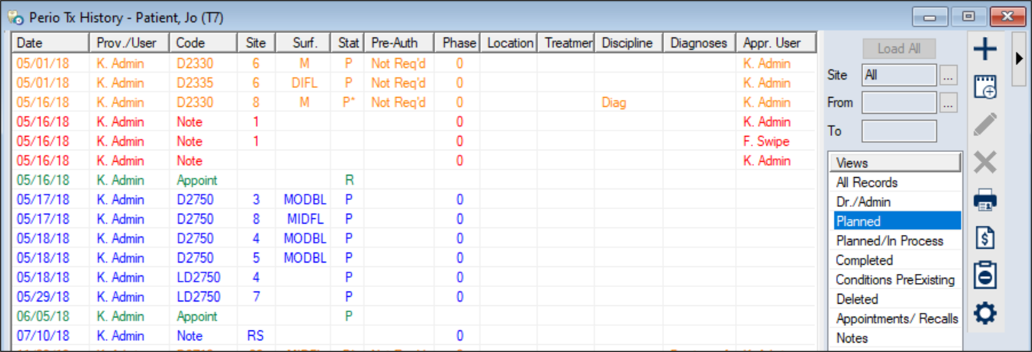
- Click the Perio Treatment History (
 ) icon to display the Perio Tx History window. ) icon to display the Perio Tx History window.
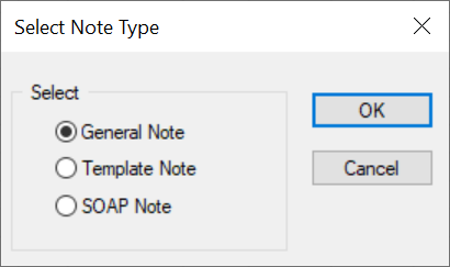
- Complete one of the following to display the Note Type window:
-
To add a basic note, click the Add a new Note (
 ) icon. ) icon.
-
To add a treatment-specific note, right-click a treatment and select Add Tx Note…
-
If prompted, select the correct radio button and click OK.
- General Note
- Template Note
- SOAP Note
- Complete the note according to the note type.
|