Skip To Main Content
Account
Settings
Logout
placeholder
Account
Settings
Logout
Filter:
All Files
Submit Search
You are here:
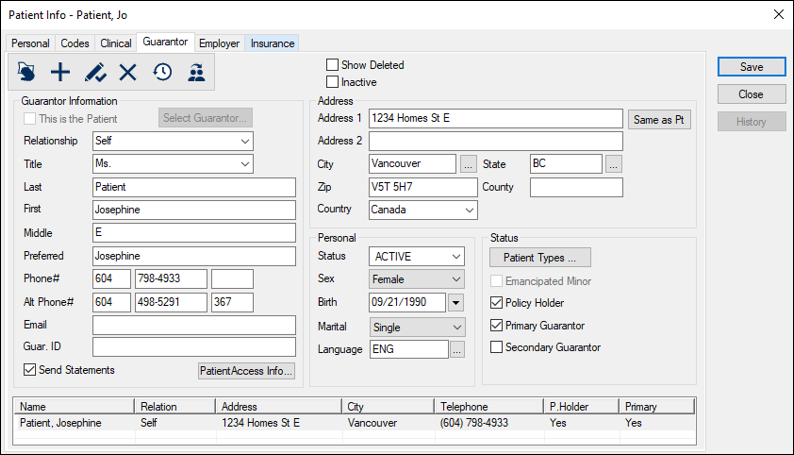
Specify Additional Guarantors
Select a patient and open the
Patient Info
window >
Guarantor
tab.
Complete the fields as necessary
and click the
Add a new Record
(
) icon.
 ) icon.