Retract Requested Items
|
Each item a student provider requests approval for displays as a line in the Patient Approvals window when the Requested Items radio button is selected. If a request was made too early or an item requires editing, the student provider can retract the approval request for the item. If retracted, the item no longer displays in the Patient Approvals window when the Requested Items radio button is selected and it re-displays as black in the Approval Request window. Note: If the faculty member selects the All unapproved Items radio button, the retracted item still displays in the Patient Approvals window. After a student provider retracts an approval request, they can make any necessary changes and request approval for the item again when ready. To retract a requested item:
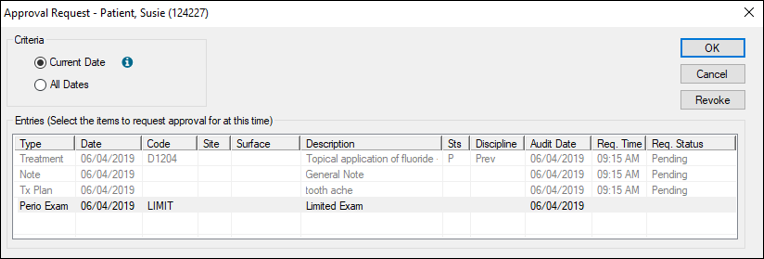
Any requested items display in grey, a Pending status displays under the Req. Status column, and the time you requested approval displays under the Req. Time column.
The item(s) re-display in black and the Req. Status and Req. Status columns re-display as blank. Once a requested item has been retracted, the student provider can update or correct the record(s) and request approval for the item again. |
 ) icon and select the clinical notification state that indicates you need approval to display the Approval Request window.