Manage Online Request Actions and Assignments
|
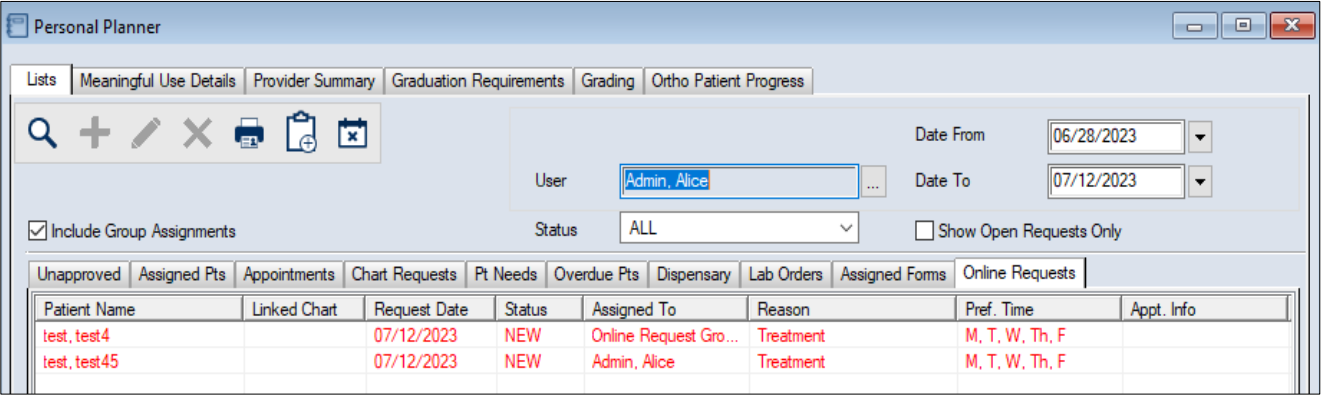
You can manage actions and assignments for online appointment requests from the Personal Planner > Lists tab > Online Requests sub-tab. When online requests are submitted by patients, they are given a default status and are assigned to a user or messenger group in the Personal Planner module. Depending on the reason for treatment selected, the request may need to be assigned manually to a different user or messenger group. The status of the request is updated automatically when certain activities are performed. This includes the following:
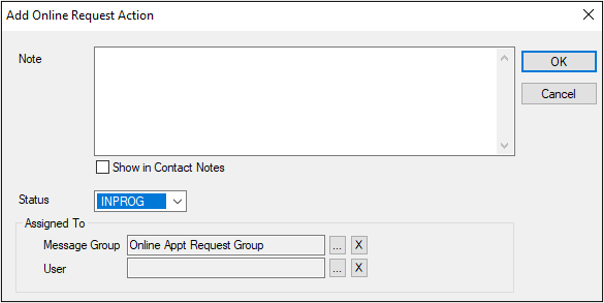
Tip: You can configure axiUm to send emails to patients automatically when a status changes. When necessary, you can manually modify online requests using request actions and assignments. This can include updating the status of a request, reassigning the request to another user or messenger group, or adding a note to the request. To manage actions and assignments:
 Search fields Search fields
Tip: You can also access the window from the Online Request Information window > Add Action… button.
|
 ) icon to display your list of online requests.