View Usage History
|
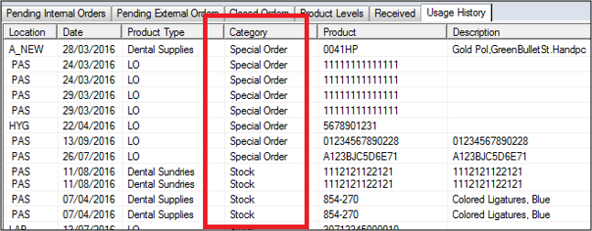
You can also use the Usage History tab to display product usage and track the number of inventory items used. If you view a product’s consumption rate, you can determine when you must next order this product. To view usage history:
The Quantity column tracks the usage of each item. Example: Items sorted alphabetically by Category.
Note: The Date column displays when the usage was last recorded for each item.
|