Place External Orders for Multiple Vendors
|
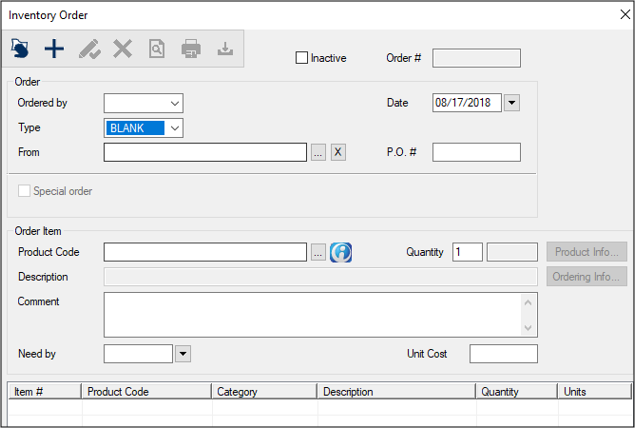
You can place an external order that includes multiple vendors. For this type of order, you select products from a list, regardless of which vendor they come from. This type of order does not require a PO number. To place an external order from multiple vendors:
Tip: If you are unsure which items to order, you can search for items that are low in stock and require re-ordering, right-click and select Add Order to display the Inventory Order window. Example: From the Product Levels tab, complete the following fields and click Search. Note: Typically, this will be your institution’s main warehouse. Note: Leave the From and P.O.# fields blank when you order items from multiple vendors. Note: Typically, this will be your institution’s main warehouse. The product appears in the Inventory Order window’s lower list. The order item(s) become visible in the Pending External Orders tab with a status of Ordered. |
 ) icon and scan the product bar code.
 ) icon.