|
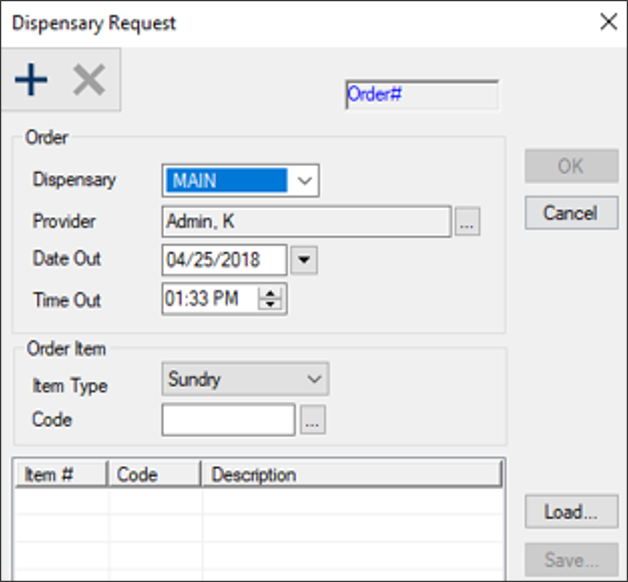
Request templates allow providers to submit their dispensary requests more quickly. If there are one or more templates defined, providers can load an existing template from the Dispensary Request window.
To manage Dispensary request templates:
- Open the Dispensary Request window using one of the methods outlines above.
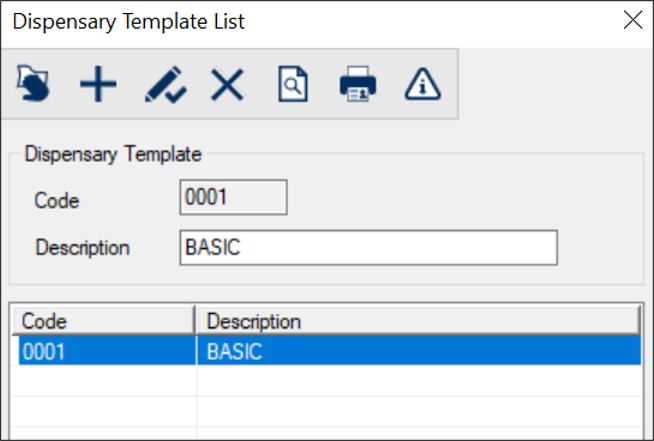
- Click Load... to display the Dispensary Template List window.
- Review the listed entries.
- To perform another task, complete any of the following:
 Add Templates Add Templates
- Click the Clear Data (
 ) icon. ) icon.
- Complete the fields as necessary and click the Add a new Record (
 ) icon. ) icon.
|
Field
|
Description
|
|
Code
|
Enter a unique ID for the dispensary template.
|
|
Description
|
Enter the full name of the dispensary template.
|
Edit Templates
- Select a listed template.
- Make any necessary changes and click the Modify Record (
 ) icon. ) icon.
Delete Templates
-
Select a listed template and click the Delete Record ( ) icon. ) icon.
- When prompted, click Yes to confirm the deletion.
Preview / Print Report
- To preview the Dispensary Template List report, click the Preview Report (
 ) icon. ) icon.
- To print the Dispensary Template List report, click the Print Report (
 ) icon. ) icon.
Specify Dispensary Request Templates
- Select a listed template and click the Edit Dispensary Template (
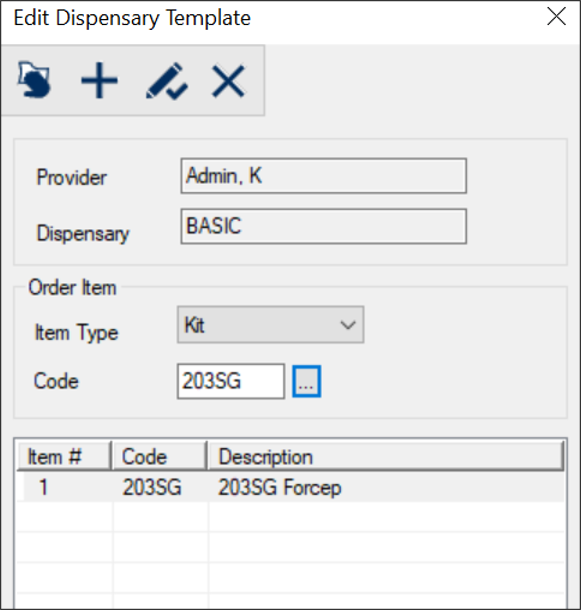
 ) icon to display the Edit Dispensary Template window. ) icon to display the Edit Dispensary Template window.
- Review the template items.
- To perform another task, complete any of the following:
Add Template Items
- Click the Clear Data () icon.
- Complete the fields as necessary and click the Add a new Record () icon.
|
Field
|
Description
|
|
Provider / Dispensary
|
Read-only fields that display the provider making the request and the description of the request template.
|
|
Item Type
|
Select the type of item being requested.
|
|
Code
|
Click the ellipsis to display the Sundry List or Kit Type Codes window and select an item to request.
Note: The Sundry List window displays if Item Type is set to Sundry.
The Kit Type Codes window displays if Item Type is set to Kit.
|
Edit Template Items
- Select a listed entry.
- Edit the fields as necessary and click the Modify Record () icon.
Remove Template Items
-
Select a listed entry and click the Delete Record () icon.
- When prompted, click Yes to confirm the deletion.
|