Claims Overview
|
The Claims module is a core axiUm module that allows you to view and submit electronic insurance claims directly to insurance companies via supported clearinghouses, such as DentalXChange. Once submitted, you can easily track the insurance claim response, status, and rejection reason, if applicable. If the Auto Remittance and Lockbox Payments modules are purchased, they work in conjunction with the Claims module to allow your institution to receive EOBs and third-party Lockbox company payments electronically and allocate and process them as necessary. Tip: If necessary, you can also enter and allocate insurance payments manually from the Transactions module.  Access Access
You can directly open the Claims module using one of the following methods:
Organization
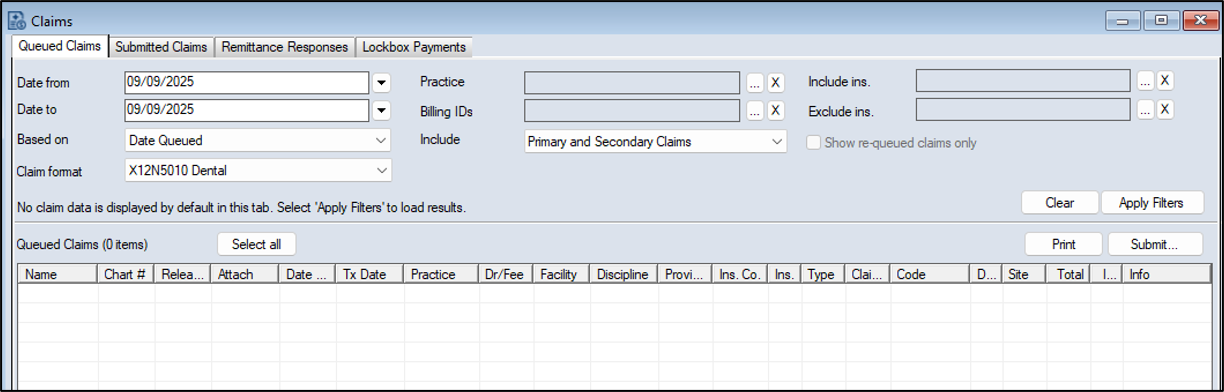
The Claims module is separated into an upper pane and a lower pane. The upper pane is organized into tabs, each with a variety of search criteria fields and activity buttons. For detailed information on the specific fields and buttons, see the applicable section. Note: The number of tabs depends on which optional axiUm+ modules you have purchased and enabled. The claims search results display in the lower pane.
The upper pane contains several tabs:
Reports
You can run a custom report from the Info Manager module > Billing tab to help monitor Claims activity. You use this report the same as other Info Manager reports. You can customize, create, filter, save, and print or export it.
|
 ) icon.